

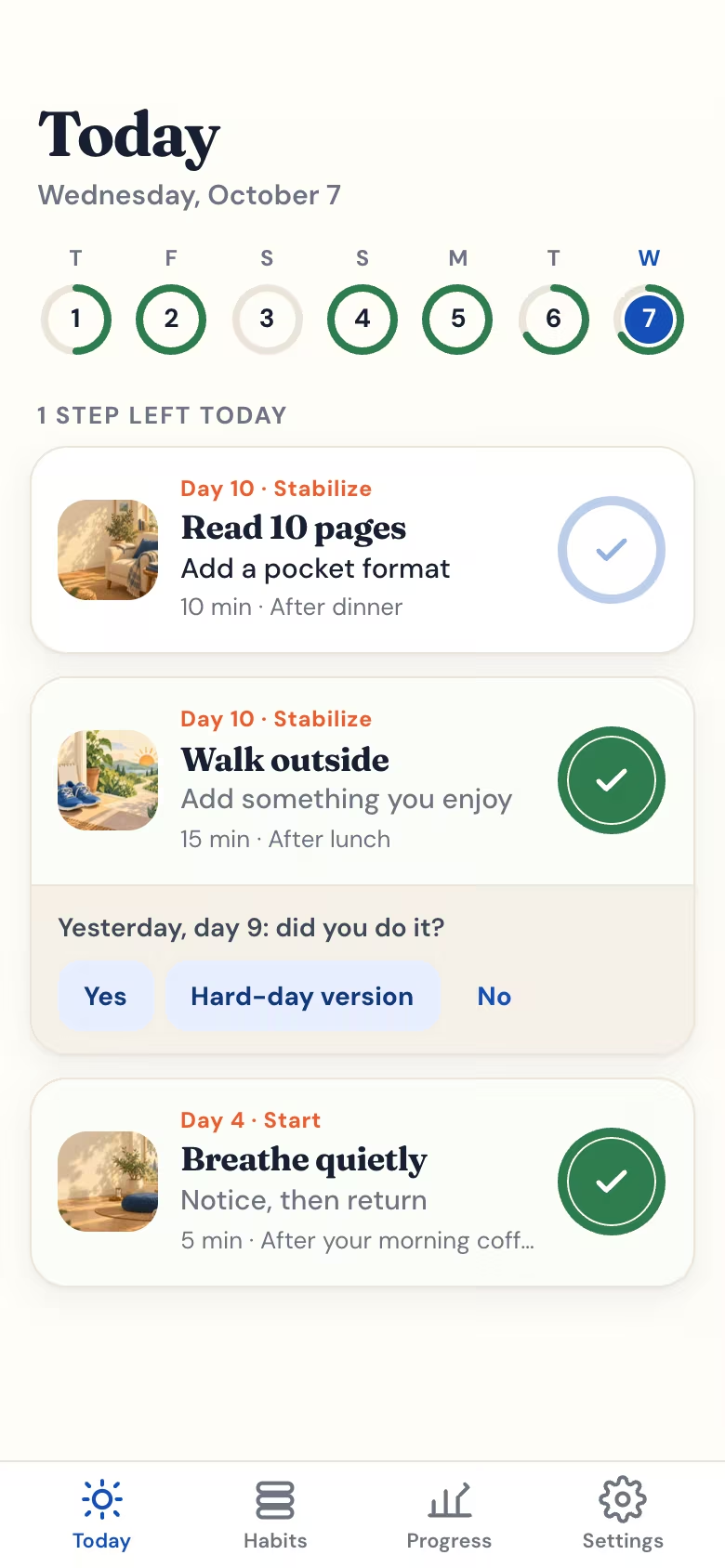
What the app looks like
These are real screens from the app on a phone, with three sample habits. Swipe to see more.
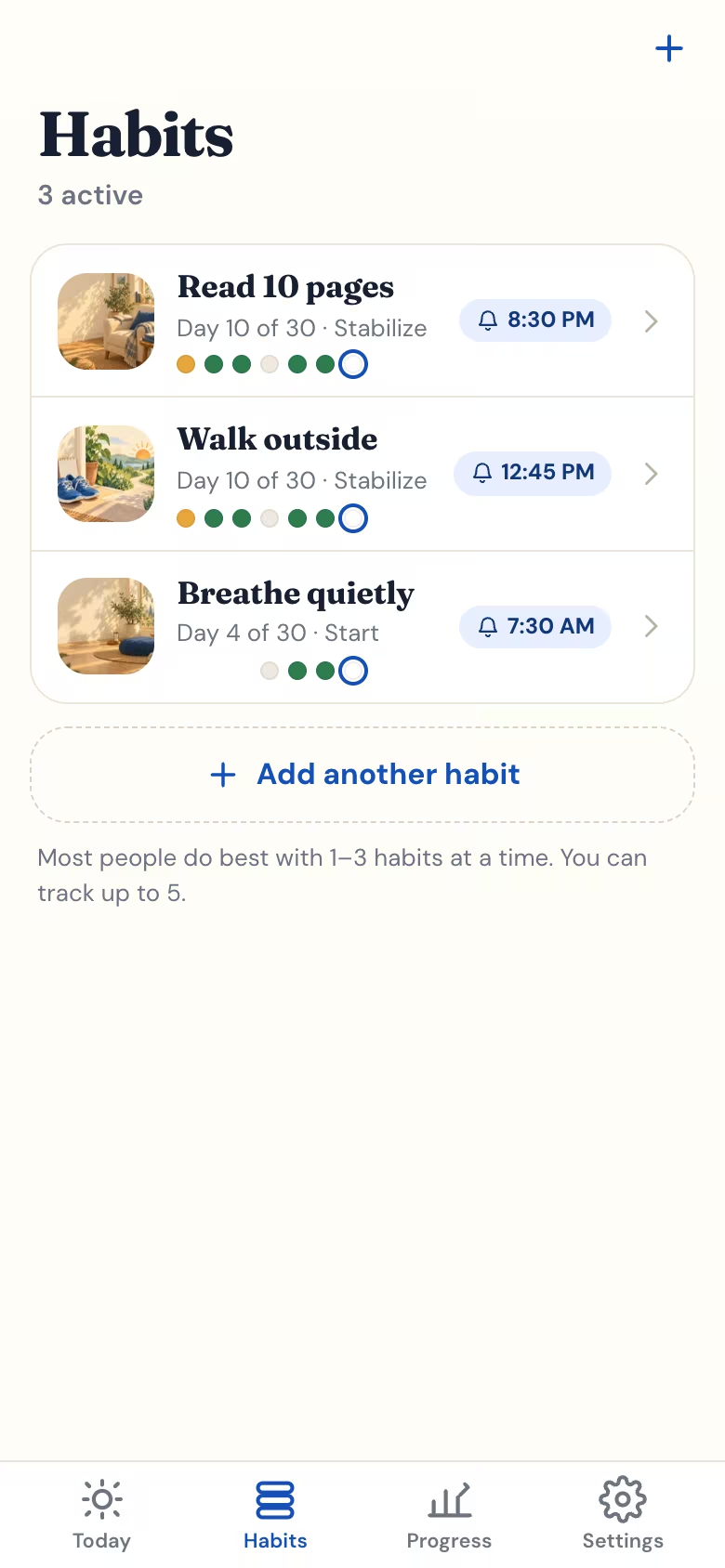
Habits: up to five at a time, each with its day of 30, last week's dots and its reminder time. 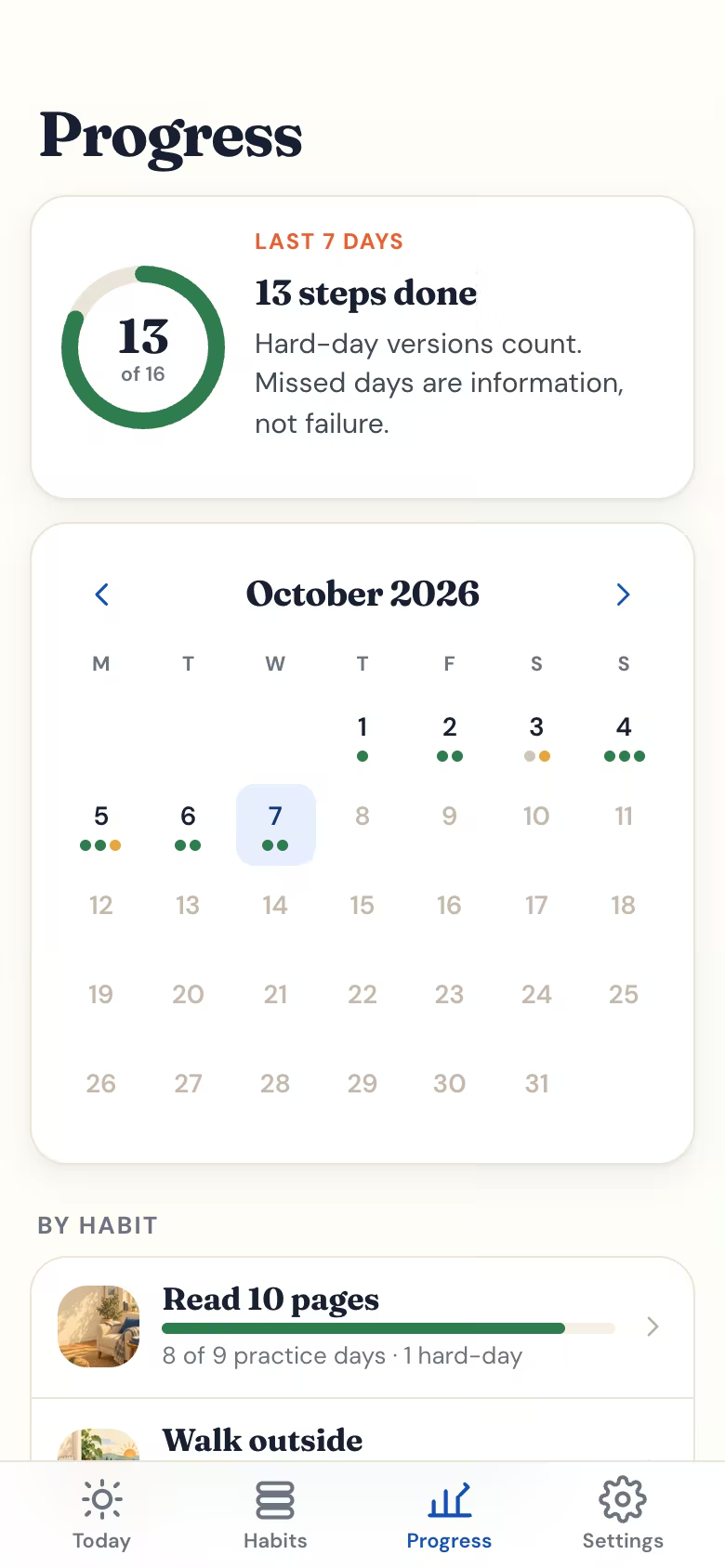
Progress: the last 7 days and a month calendar. Hard-day versions count; there is no streak to lose. 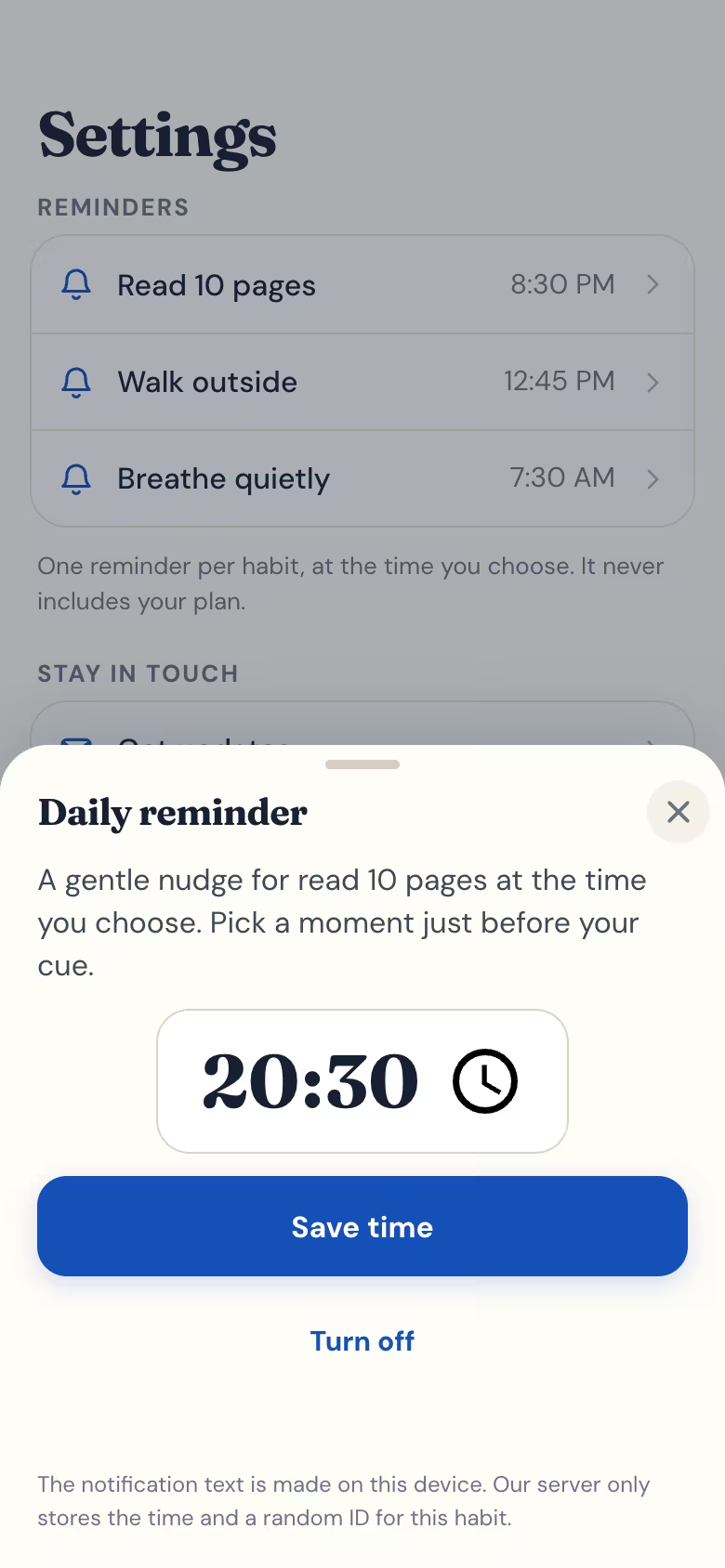
Reminders: one per habit, at the time you pick. The notification text is made on your phone.
What the free habit tracker app does
- Today's step, one tap
Each habit shows the step for today. Tap Done, the hard-day version or Not today. Missed yesterday? The app asks once, with no catching up.
- Up to five habits
Run one to five habits at a time. Fewer at once are easier to keep, so from the fourth the app says most people do best with one to three. At five, finish or archive one to start the next.
- A 30-day plan for each habit
Name your habit, pick when it fits your day and what usually gets in the way. The app turns that into 30 small daily steps that start tiny and grow.
- A hard-day version every day
Every step has a smaller version for busy or low days, and it counts as showing up.
- Weekly reviews
On days 7, 14, 21 and 28 a short review asks how the week went, so you can make the step smaller, bigger or move it to a better moment.
- Daily reminders
One reminder per habit at the time you choose, if you allow notifications. On iPhone this needs the home screen app and iOS 16.4 or later.
- Progress without streaks
See the last 7 days, a month calendar with a dot for every check-in and how many practice days you showed up. No streak resets to zero.
- Works offline
Once added to your home screen it opens without a connection, and check-ins save on the phone. Building a new plan needs a connection.
- Light or dark
Follows your phone's light or dark setting, or pick one in Settings.
How it works in 3 steps
- Open the app
Go to dailyhabitai.com/app in Safari on iPhone or Chrome on Android. No sign-up screen.
- Start a habit
Answer a few short questions: the habit, when it fits your day, how many minutes and what gets in the way. Your 30-day plan starts today.
- Add it to your home screen
It then opens full screen from its own icon. Turn on a reminder for each habit in Settings.
Install the habit tracker app on iPhone or Android
iPhone and iPad (Safari)
- Open dailyhabitai.com/app in Safari.
- Tap Share, the square with an upward arrow.
- Choose Add to Home Screen, then Add.
Reminders on iPhone need iOS or iPadOS 16.4 or later and the home screen app, because Apple only lets web apps send notifications after they are added to the home screen.
Android (Chrome)
- Open dailyhabitai.com/app in Chrome.
- Tap the three-dot menu.
- Choose Install app or Add to Home screen.
On Android your habits are already there when you open the new icon, and reminders also work in the browser.
Started in Safari before adding the app on iPhone? Safari and home screen apps keep separate storage, so copy your plans first. The step-by-step install guide walks you through it, with a section for computers.
Your data: what stays on your phone and what we store
On your phone only
- Your habits, their names and your reasons
- Each 30-day plan and every check-in
- Weekly review answers and settings
- The text shown in your reminders
On our server
- Only if you turn on reminders: your browser's push address and keys, your time zone, and each habit's reminder time with a random ID (never its name), plus a random device ID to count reminders that were opened
- Your answers when you start a habit, logged anonymously and not linked to you or your device
- Simple anonymous events such as "checked in", with no plan text
There is no account, so nothing about you is tied to the app. To keep a copy or move to a new phone, use Back up my plans in Settings; Delete all data on this device removes everything. Details are on the privacy page.
DailyHabitAI app vs an app store habit app, a printable or a spreadsheet
| DailyHabitAI app | App store habit app | Printable tracker | Spreadsheet | |
|---|---|---|---|---|
| Price | Free, no ads | Varies: free, free with ads, or paid upgrades | Free to print | Free with Google Sheets, or your Excel license |
| Install | From the browser, no app store | App Store or Google Play | Print once a month | Open a file |
| Account | None | Often needed for sync | None | Needed for Google Sheets |
| Where your data is | On your phone | Often on the company's servers | On paper | Your file or your Google account |
| Reminders | Yes, one per habit | Usually | No, the sheet is the cue | No |
| How many habits | Up to 5 | Often unlimited | One to ten per sheet | As many as you like |
| Daily guidance | A small step for each of 30 days | Usually a checkbox | A box to tick | A cell to fill |
| Widgets and watch apps | No | Often | No | No |
App store apps differ a lot, so check the one you are considering. If you like paper, the free online habit tracker prints one habit on a page, and the habit tracker templates come in six printable designs plus Excel and Google Sheets.
Who it is for, and who it is not for
A good fit if you
- Want a habit tracker on your phone without an account or an app store download
- Tend to forget and want one reminder a day
- Are starting one to three habits and want a small step for each day, not only a checkbox
- Prefer your habit data to stay on your device
Probably not for you if you
- Track more than five habits at once: a printable or spreadsheet template holds ten
- Want an Apple Watch app, home screen widgets or Apple Health data: a native app store app may suit you better
- Need automatic sync between phones: here you move habits with a backup code
- Only want to tick boxes with no plan: the online habit tracker is a plain 30-day grid
Why tracking a habit on your phone helps
- Recording progress helps you reach goals. A meta-analysis of 138 studies (N = 19,951) found that monitoring progress improved goal attainment, more so when progress was physically recorded (Harkin et al., 2016). A one-tap check-in is that kind of record.
- Habits take different amounts of time. In a real-world study, the time for a daily behavior to feel close to automatic ranged from 18 to 254 days, and missing one day did not materially affect progress (Lally et al., 2010). That is why the app shows the days you showed up instead of a streak, and treats 30 days as a first round.
- A fixed moment beats a vague intention. In a meta-analysis of 94 tests, deciding when and where you will act (if-then plans) linked to better follow-through than a goal alone (Gollwitzer and Sheeran, 2006). Each plan in the app is tied to a moment you choose, such as after dinner.
More on using any tracker well is in how to use a habit tracker, and ideas for what to track are in habit tracker ideas.